Technology
From Intake to Strategy: A Practitioner's Walkthrough of the ilovelawyer Case Workspace
October 31, 20267 min read

Ask a litigator where a matter lives and the honest answer is "in several places at once." The pleadings are in a shared drive, the deadlines are in a calendar, the research is in browser tabs, and the working theory is in somebody's head. Reconciling those sources takes real time, and every reconciliation is a chance to miss something.
ilovelawyer, developed by FORHU, is an AI case workspace for lawyers that FORHU says is built to close that gap. It keeps each case's parties, documents, timelines and deadlines together, answers questions with cited sources, and checks quoted authority against a real source document. This walkthrough follows a matter from the first upload to strategy review, with notes on where a lawyer's own judgment stays in charge.
At a glance
One workspace per case, with Sources, Chat and Studio side by side.
Case-aware AI consultation, with related case law listed next to every answer.
Citation checking, designed so quoted authority is verified against a real source document.
The Legal Terminal, a multi-pane view that lawyers arrange themselves and save per case.
Stress-testing views such as Red Team, Contradictions and Case Reconstruction.
Firm accounts with Owner, Admin and Member roles.
Step one: open the matter and load the file
A matter starts as a case record. You create the case, add the parties, and upload the documents in PDF or Word format. Each case then gets its own workspace with three areas. Sources holds the documents. Chat is where you consult the AI assistant. Studio produces working views of the case: a Mind Map of strategy (legal basis, key facts, remedies, risks and next steps), a Timeline of key dates, and a Data Table.
The analysis can be refreshed on demand or automatically when documents are uploaded, deleted or archived. When the file changes, the contradictions, strategy, key dates, findings, outlook and mind map are derived again from the documents. The practical effect is that the analysis follows the file instead of drifting from it.
Step two: consult the assistant with the case already attached
Anyone who has used a general chat tool knows the routine of re-explaining the matter in every new window. In ilovelawyer the case details accompany each message, so the assistant already has the parties, the documents and the issues in play. A single case can host several consultations, for instance one on a witness problem and another on a draft argument.
Answers come with sources. Related case law appears beside each answer with its title, case number, source link, a snippet and a note on relevance. That lets a lawyer move straight from a statement to the underlying material and decide whether it holds.
Step three: verify the authority
Fabricated or unsupported citations are the risk most practitioners name first, so it is worth being precise about what the tool does. The research library searches case law and statutory sources and includes citation checking. The design goal is that every quoted authority is verified against a real source document, and the case law documents are read-only so the text stays as published.
The feature is designed to help lawyers catch unsupported citations before they travel further. It does not remove the duty of care. The lawyer still reads the source, confirms the point and decides whether to rely on it. What the tool shortens is the distance between a claim and its source.
Step four: build the view you need in the Legal Terminal
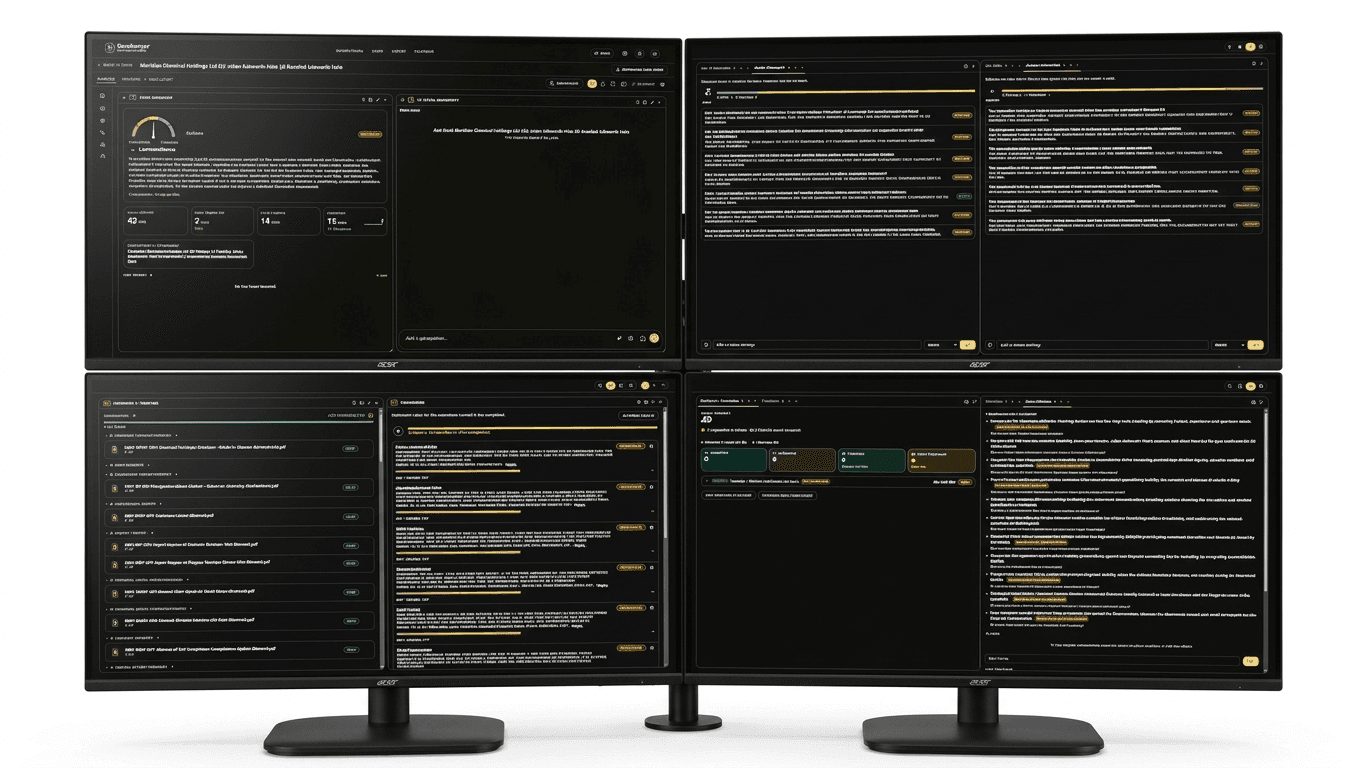
The Legal Terminal is a freeform, multi-pane workspace that the company describes as a litigation cockpit you arrange yourself. Panes can be dragged, resized and rearranged for the task in front of you.
Presets. Begin with a layout of one, two, four or six panes and adjust from there.
Named layouts per case. Save, load and reset layouts for each matter, so a trial-preparation view and a client-update view can both exist. Layouts can be reloaded from any machine.
A "What changed" summary. After each analysis run, a short summary shows what moved, so nobody has to compare versions by eye.
The available panes follow the working parts of a matter: Command (case status, next date, upcoming actions), Evidence & Timeline, Procedure for deadlines and filings, Decisions, Theories, Strengths and Weaknesses, Attack Strategy and Defense Strategy, Red Team, Contradictions, Case Reconstruction, Mind Map, Damages & Remedies, and Chat. The lawyer decides which to keep on screen, so a litigator preparing for a hearing and a partner reviewing exposure can each work from a suitable arrangement.
The Decisions pane shows the design intent well. For a given conclusion, it lays out the rule applied, the evidence for and against, and what would change the outcome.
Step five: test the position before anyone else does

Four views support the adversarial side of preparation.
Red Team surfaces the argument the other side is likely to make and ranks likely attacks by impact, which shows where the position is most exposed.
Contradictions flags inconsistencies across documents and testimony. A flag is a prompt to look, not a finding.
Case Reconstruction writes the story of the matter in three registers: a general one, a formal one for a decision-maker, and one from the other side's point of view. It also lists what it does not cover.
Theories keeps competing readings of the case side by side, so alternatives stay visible while the work continues.
None of these views delivers a conclusion. Each gives a lawyer something to examine, argue with and refine, and each is tied to the same documents, so when the file changes, the material under test changes too.
Step six: run it across a firm
ilovelawyer supports firm accounts, from solo practitioners to larger firms. Accounts have multiple users with defined roles: Owner, Admin and Member. Invitations are role-based, so access follows responsibility.
Within a firm, the case portfolio, files, calendar and deadline tracking are tied to each case. Deadlines sit beside the documents and analysis they belong to, so nothing depends on someone remembering to check a separate calendar. A paralegal tracking dates, an associate preparing research and a partner reviewing strategy all look at one matter without keeping separate copies.
Where the lawyer stays in charge
Judgment, verification and advice remain with the lawyer. ilovelawyer is software, not a law firm, and it supports a lawyer's own judgment instead of replacing it.
The product is also direct about its limits. The toolbar flag that shows hidden panes is a simple check, not an AI recommendation, and Case Reconstruction states what it does not cover. A lawyer should always be able to tell software logic from AI output from what is still open.
FORHU, the company behind ilovelawyer, also publishes research on its Structured Cognitive Loop (SCL), an architecture for putting structure around how AI reaches a judgment. That work is listed on the company's research page.
The CEO's view of the terminal
"A complex case cannot be understood through a single chat window," said FORHU CEO, JUN SHIN(JUNGKWAN SHIN), in a company announcement. In the same announcement, he said: "A legal terminal should show lawyers the state of the case, just as Bloomberg shows traders the state of the market."
Both statements point the same way. The direction FORHU's CEO describes is a terminal that shows the state of the whole case, not a chat window that answers one question at a time.
Questions practitioners ask
Does it replace legal research or review?
No. It brings documents, cited answers and checking tools into one place. The lawyer reads the sources and decides what to rely on.
Can several people work in the same case?
Yes. Firm accounts support multiple users with Owner, Admin and Member roles.
Can layouts be saved?
Yes. Layouts can be named, saved, loaded and reset for each case, and reloaded from any machine.
Is it a law firm?
No. ilovelawyer is software, not a law firm.
ilovelawyer is software, not a law firm, and nothing in this article is legal advice.
Sponsored Recommendations
Share this article