Technology
Ilovelawyer: An Innovative AI Workspace for Legal Consultation
September 16, 20262 min read
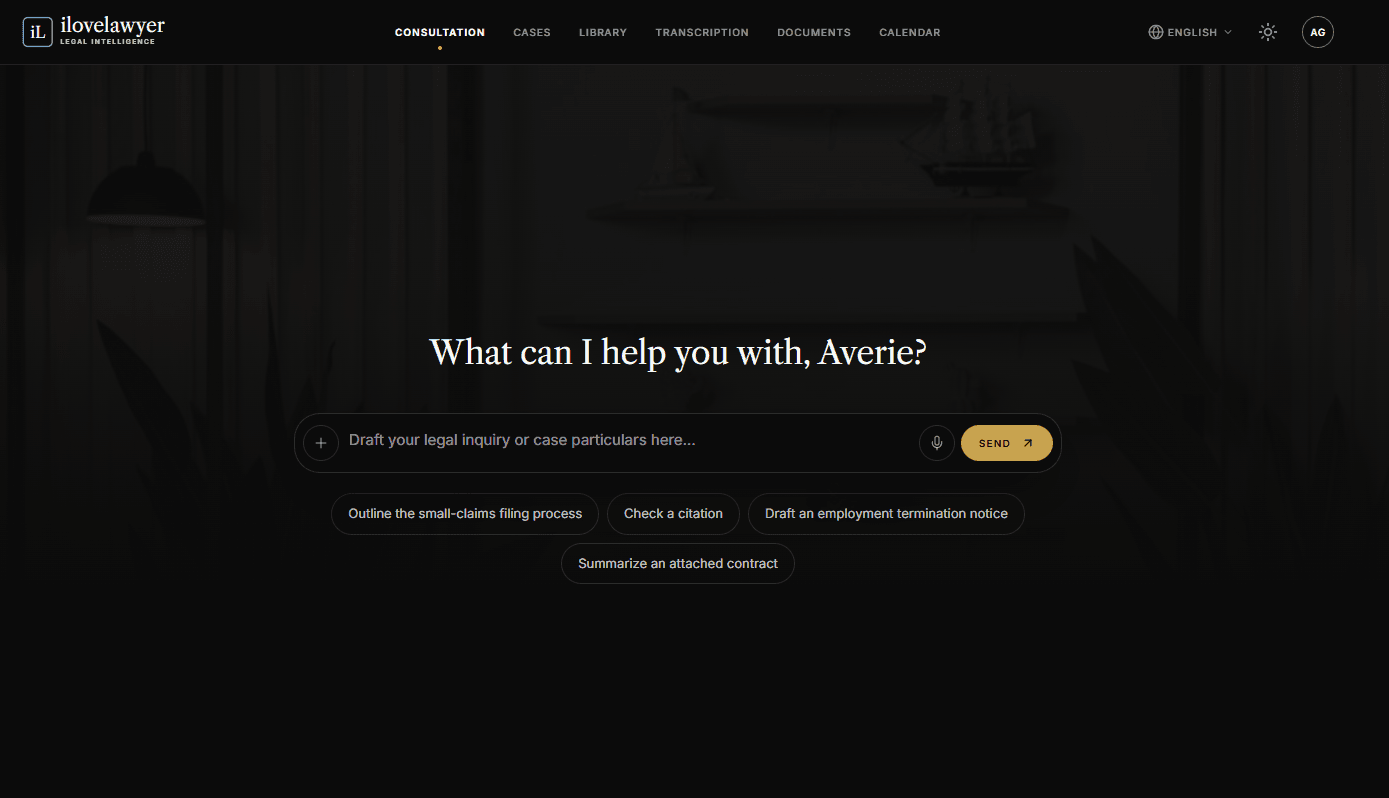
Upon signing into ilovelawyer, users are greeted by the Consultation screen, which functions as the core interactive AI workspace. This platform is designed to facilitate expert brainstorming and legal inquiries, acting as a knowledgeable partner capable of assisting with document drafting, case analysis, and the exploration of various legal strategies.
At the center of the interface lies the Interactive Composer, featuring a prompt inviting users to “Draft your legal inquiry or case particulars here...”. This input box permits users to enter their questions, attach files that can be previewed as clickable chips, or even record their inquiries through voice commands.
To enhance user experience, Quick-Start Prompt Suggestions provide pre-built query options. These suggestions include topics such as assessing remedies for illegal dismissals, explaining the statute of limitations for claims, drafting cease-and-desist letters, and summarizing attached contracts. Such features allow users to quickly engage with common legal tasks.
The persistent chat history is conveniently located in the left sidebar, where users can view a continuous log of their recent consultations. Additionally, this sidebar includes a Gallery feature and a quick-access "New chat" button, enabling users to effortlessly rename, delete, or revisit previous discussions. Each consultation thread retains a unique link in the address bar, ensuring that users do not lose their place even when refreshing the page.
Furthermore, when a consultation is associated with a particular case, an integrated Case Hub panel becomes available alongside the chat. This functionality allows users to execute various quick actions—including adding documents, updating schedules, attaching transcriptions, or booking appointments—without needing to exit the conversation interface.
The platform also features advanced capabilities, where AI-generated answers can highlight related precedents that are marked as "Vetted" if relevant. Additionally, as conversation history builds up, a Mind Map tab appears next to the Chat and Timeline, aiding in visual understanding.
Any response generated by the AI can be effortlessly converted into an editable email draft using the built-in "Compose email" shortcut. This feature exemplifies how the AI Legal Consultation tool effectively bridges the gap between unprocessed legal research and practical drafting, offering practitioners a versatile platform to expedite their case preparation.
Sponsored Recommendations
Share this article